







Aggregated conversations
Start with aggregated conversations and organize frequently used projects according to actual work needs.
 Welcome to SKYSCRM
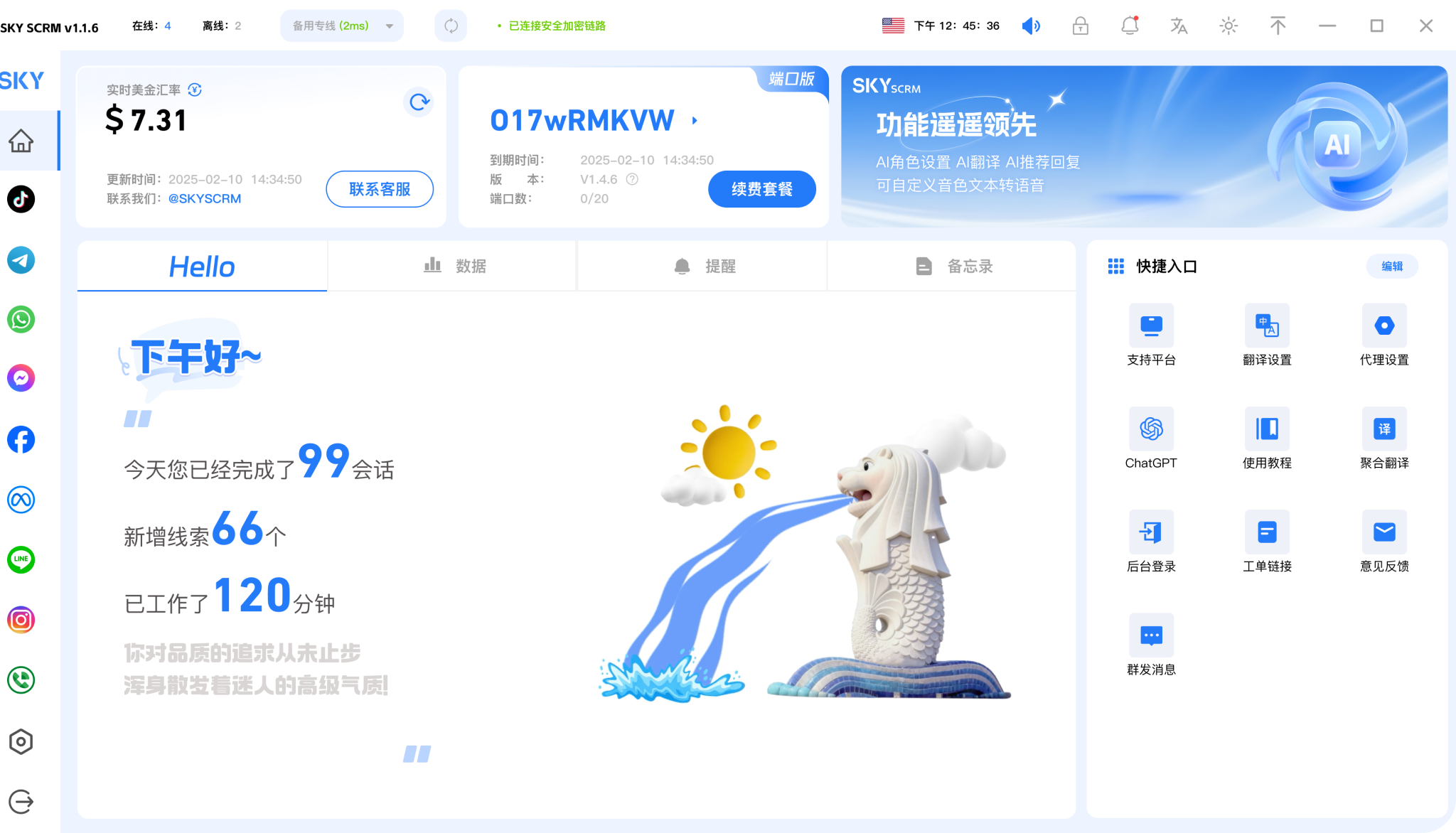

Safe multi-instance operation on 15+ mainstream global social media platforms, building an efficient communication model

Multi-dimensional customer service quality monitoring with real-time alerts to avoid potential risks

Automated marketing methods reduce manual operations and increase efficiency by 80%

Multiple accounts online simultaneously across global social media platforms, efficiently managing social media matrix accounts

Start with aggregated conversations and organize frequently used projects according to actual work needs.

Combine language assistance with customer leads to keep daily operations clearly organized.

Use team collaboration in a familiar interface and adjust your own settings as needed.











View options related to aggregated conversations and confirm device and version information before starting to use it.
🗯️Free trial

Place frequently used features in easy-to-find locations to reduce repeated searching and switching.
🗯️Free trial


Keep useful information around language assistance for convenient follow-up next time.
Try it now







Organize social conversations, language assistance and customer follow-ups in a unified workspace.
Start with aggregated conversations and organize frequently used projects according to actual work needs.
Combine language assistance with customer leads to keep daily operations clearly organized.
Use team collaboration in a familiar interface and adjust your own settings as needed.
View options related to aggregated conversations and confirm device and version information before starting to use it.
Select the device system in the download center and view the corresponding version name.
Open the installation file and follow the installation prompts on your device to complete setup.
Choose the client corresponding to your device.
View All Download Versions →Whether you're using it for the first time or looking to optimize your daily workflow, here are practical approaches: from input methods in the conversation workbench to trade-offs in multi-scenario translation, these can help you organize your translation tasks more clearly.
Paste or type the source text in the workbench, select the target language, and view the translation. For long texts, it's recommended to submit in segments for easier sentence-by-sentence verification and adjustment.
Documents, conversations, and interface text have different stylistic requirements. Daily communication tends to be colloquial, while formal materials tend toward written style. Clarify the purpose before choosing an expression style.
It's recommended to double-check proper nouns, numbers, and units. For ambiguous sentences, try splitting them into shorter phrases and retranslating to reduce comprehension gaps, then merge them into a complete expression.
It's recommended to treat the translation as a draft and then do manual proofreading based on the specific purpose. For formal materials such as contracts and announcements, please have someone familiar with the field review terminology and tone.
Not exactly. Short sentences are suitable for direct translation and quick confirmation; long documents are better submitted in paragraphs or chapters, verified section by section, and then unified in terminology to better maintain consistency throughout.